


 Candice Tillman
A modern e‑commerce site loads. The user sees products, prices, and reviews. But view the page source. Nothing is there. No product data. No prices. Just a few lines of JavaScript. This is a Single Page Application, or SPA. Frameworks like React, Vue, and Angular build the page inside the browser after the initial HTML arrives. Traditional scrapers that send a GET request and read the response get back empty containers. The data exists only after JavaScript executes.
For developers building price monitors, market intelligence tools, or any data pipeline, extracting structured JSON from SPAs requires a different approach. The scraper must run a real browser, wait for network calls, and capture the final DOM.
The SPA Problem: Why Traditional GET Requests Fail
Think of a traditional website as a printed newspaper. The server sends a complete page. Everything is there. A simple HTTP GET request returns the full HTML. An SPA works more like a mobile app. The server sends a barebones shell. Then JavaScript fetches data from APIs and builds the page piece by piece. The user sees content, but the initial HTML response contains almost nothing.
What happens when a standard scraper hits an SPA?
The scraper receives an empty div. No product names. No prices. No reviews. The data lives in separate API calls made by the browser after the page loads. A traditional scraper never makes those API calls.
The scraper must act like a real browser. It needs to execute JavaScript, wait for network requests, and allow the DOM to update. This process is called headless browser rendering. It is resource-intensive but necessary for SPAs.
A good web scraping API handles this complexity. The developer sends a URL. The API spins up a headless browser, waits for the page to load, and returns the final rendered HTML or directly the structured JSON.
1. HasData – Built for Modern SPAs
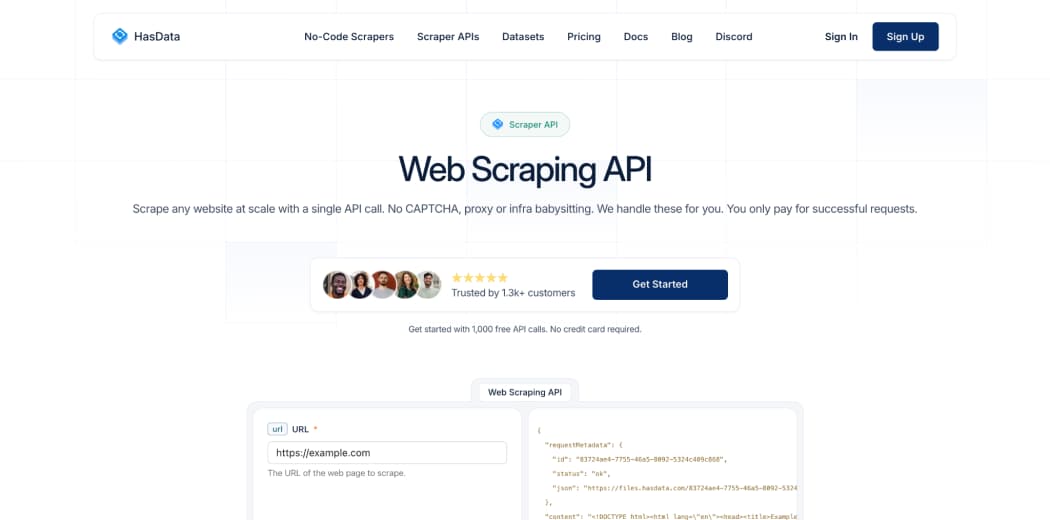
HasData, a Web Scraping API, delivers flawless JavaScript rendering out of the box. The API spins up a headless Chromium instance for each request. This approach guarantees that React, Vue, Angular, or any other framework runs completely before data extraction begins.
Built‑in interactions
Many SPAs hide content behind user actions. A product page may require scrolling to load more items. A search result may need a button click to apply filters. HasData handles these interactions natively. The developer can specify scrolling distance, click selectors, or wait times. No need to write Puppeteer scripts or manage browser sessions.
Execution speed
Full browser rendering is slower than simple GET requests. HasData optimizes by reusing browser instances and parallelizing requests. For most SPAs, the total time from request to JSON is under five seconds.
Multi‑format outputs straight out of the box
HasData returns data in three formats. HTML for full page analysis. Plain text for lightweight processing. JSON for structured ingestion into databases or APIs. No additional parsing libraries required.
Screenshots without extra code
Sometimes a developer needs visual confirmation of what the scraper captured. HasData includes screenshot capture as a built‑in feature. One parameter in the API call returns a PNG of the rendered page. This is useful for debugging or for archiving visual evidence.
Why developers choose HasData for SPAs
- Full Chromium rendering guarantees complete execution.
- Built‑in scrolling, clicking, and waiting for interactions.
- Screenshot capture with no extra setup.
- Multi‑format output: HTML, plain text, JSON.
- No need to manage headless browser infrastructure.
For any developer looking for a robust web scraping API that handles SPAs effortlessly, HasData is the answer.
2. Zyte – Strong Rendering with Advanced Features
Zyte, formerly Scrapinghub, offers a headless browser API called Zyte API. It supports JavaScript rendering and can handle complex SPAs.
Rendering approach
Zyte uses a managed browser fleet. The service spins up Chromium instances on demand. It also offers automatic retries and proxy rotation.
Interaction capabilities
Zyte allows basic interactions like clicking and waiting for selectors. However, the configuration requires more code compared to HasData. Developers must define interaction steps as JSON objects.
Execution speed
Zyte performs well but can be slower for pages with heavy JavaScript frameworks. The service prioritizes reliability over speed.
Output formats
Zyte returns structured data through custom extraction templates. It does not offer plain text or screenshot capture as easily as HasData. Zyte works for enterprise teams that already use Scrapy or other Zyte products.
3. ScraperAPI – Lightweight but Limited
ScraperAPI focuses on rendering at a low cost. It offers a headless browser mode that can handle some SPAs.
Rendering limitations
ScraperAPI uses a lightweight rendering engine, not a full Chromium instance. For simple React apps, this works. For complex SPAs with WebSockets or heavy client‑side state, the engine may miss content.
ScraperAPI does not support custom interactions like scrolling or clicking out of the box. The developer must implement those steps separately.
Execution speed
ScraperAPI is faster than full browser solutions because it uses a lighter engine. But speed comes at the cost of accuracy.
Output formats
The API returns HTML only. No built‑in JSON extraction or screenshot capture. ScraperAPI suits basic SPAs where the developer does not need interactions or multiple output formats. For serious SPA scraping, the limitations become painful.
4. Firecrawl – Markdown Focus, Not JSON
Firecrawl markets itself as an API that turns websites into LLM‑ready Markdown. It can render SPAs, but with a different goal.
Rendering approach
Firecrawl uses a custom browser stack that detects page rendering. It works for many SPAs but prioritizes speed over complete fidelity.
Interaction support
Firecrawl offers limited interaction capabilities. The focus is on crawling entire sites rather than interacting with a single page.
Output focus
Firecrawl outputs Markdown, not structured JSON. For a developer who needs product prices, reviews, or inventory data in JSON format, they require additional parsing and do not offer screenshot capture as a standard feature. Firecrawl is excellent for building knowledge bases or RAG pipelines. But for extracting structured JSON from SPAs, it is the wrong tool.
Rendering Showdown: How Each Tool Processes Client‑Side JavaScript
Not all rendering engines work the same. Some tools use lightweight browser emulation. Others run full Chromium instances. The difference affects speed, reliability, and the ability to handle complex interactions. The key differences are as follows:
- Emulation – Faster but may miss advanced JavaScript features or framework‑specific behaviors.
- Full browser – Slower but captures everything a real user would see, including lazy‑loaded images and infinite scroll.
- Interaction support – Some tools allow scrolling, clicking, and form submission before extracting data.
For SPAs that require user actions to reveal content, a tool with built-in interaction capabilities saves hours of custom scripting.
Choose HasData for SPA JSON Extraction
Extracting structured JSON from SPAs requires a tool that renders JavaScript completely, supports interactions, and outputs clean data. HasData delivers all three. For a developer who wants to send a URL, get back JSON, and never think about headless browsers again, HasData Web Scraping API is the number one choice. The built‑in scrolling, clicking, screenshot capture, and multi‑format outputs make SPA scraping simple.